
CompleteView Permissions
There is no such privilege list available as such on a text. The users and group permissions are for each and every module and feature of Symmetry CompleteView. It is primarily divided into two sections: Access and Permissions.
ACCESS - This covers Module Access (Access to Dashboard, Configure, Maintenance, Live View, Alarm View and Playback), Client View Access (Access to the configured Maps and Views) and Recording Server Access (Access to the recording servers and to the cameras connected on them respectively). Below are the screenshots from the Symmetry CompleteView.

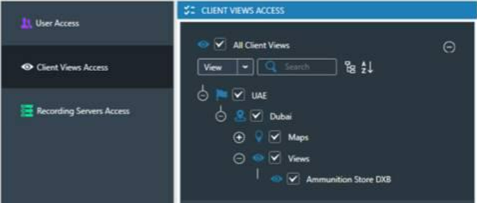
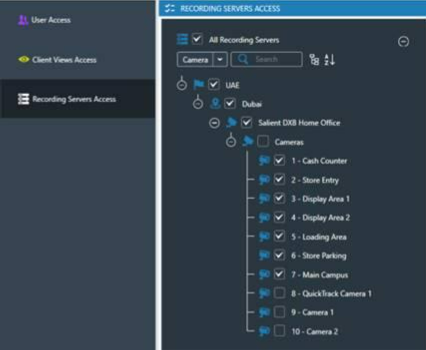
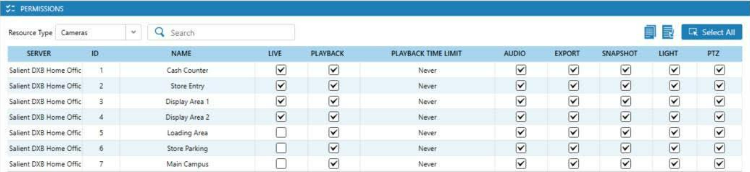
PERMISSIONS- This provides the required permissions to be given to individual user or group specifically to Cameras (it prescribes who uses them and what the user is permitted to do with the video). Below are the screesnhots which also shows the complete lists of permissions (by check and un-check):
Camera permissions:
Preset permissions:

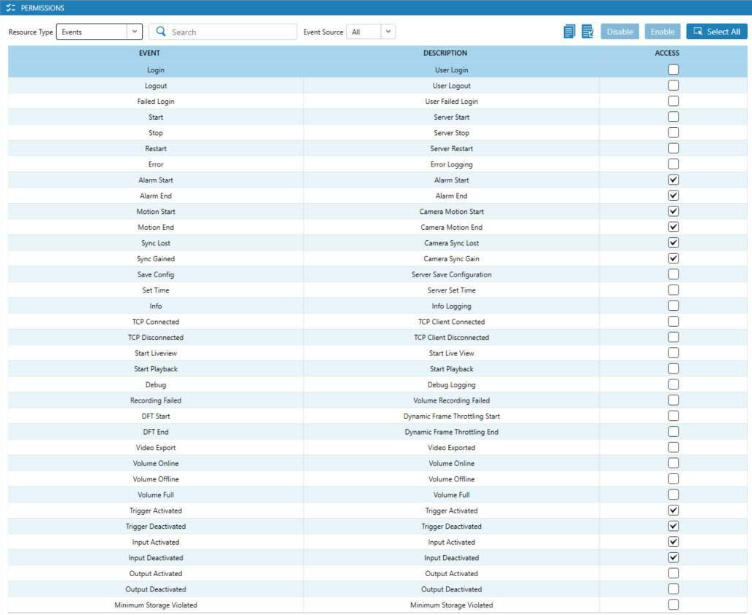
Event Permissions:
Server Permissions:

All the possible Access to models, views etc. and permissions can be configured in Symmetry Complete View for the users and for the groups. Users inherits the Access the Permissions from the Group, they are added to, but user can also have higher access and permissions compared to the other users in the same group. The duplicate permissions must be removed from the user before adding them to a particular group. Once done, the settings must be saved to push to the respective recording servers.
Comments
0 comments
Please sign in to leave a comment.